Training Skin v 0.0.0.1
Posted: Sun Nov 22, 2009 5:28 am
Greetings
Training Skin v 0.0.0.1
First release : 22-11-09
Current version: 0.0.0.1
Welcome to Monkey’s playground
The intention for this skin was, to make it easier to create your own skin.
There are different ways to create a skin, and it can / is very confused and frustrated at the beginning.
( I know this )
So I try to create a skin that makes the first steps easier ( I hope).
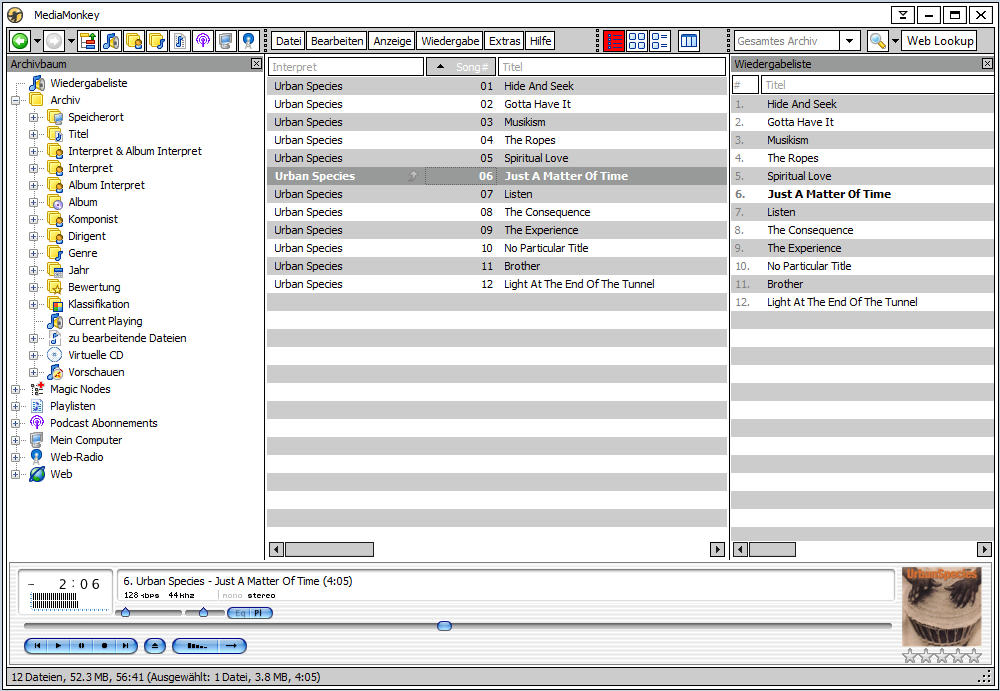
This skin is very basic , and is designed not to be nice but simple.
I clean up all Objects from theme.mskn and reduced to the necessary ,
No active objects if don’t need .
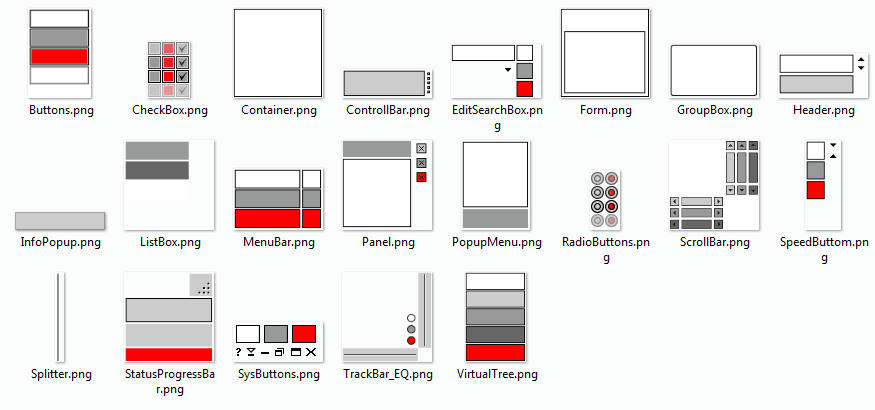
I create for all Objects from theme.mskn an extra Image ( 21 ) very simple with just 2 or 3 mono colours without Gradient , this make it easy to recolor or change them in any Graphic Editor like Paint.net , Gimp , etc….
ArtWork images to change:
This file contains just the theme.mskn, but you can run it as an normal skin in Media Monkey.
Download:
Training.mmip 0.0.0.1
Artwork.zip (contains all skin images)
@Skinners
If some Skinners like to create a simple player skin ,feel free to post here or contact me, so we can include them in the mmip file.
Maybe this Skin is not perfect but I hope it will help others /you to understand how the Skinning Engine works
More helpful Skinning sites:
http://www.mediamonkey.com/wiki/index.p ... and_higher
http://www.mediamonkey.com/wiki/index.p ... h_for_MM_3
There are more thinks to do, like an little Instructions file , maybe on this I need some help (my english is not the best)
If you have any ideas or suggestions let me know and I look what I can do.
I wish you good luck and let us see what you create
Training Skin v 0.0.0.1
First release : 22-11-09
Current version: 0.0.0.1
Welcome to Monkey’s playground
The intention for this skin was, to make it easier to create your own skin.
There are different ways to create a skin, and it can / is very confused and frustrated at the beginning.
( I know this )
So I try to create a skin that makes the first steps easier ( I hope).
This skin is very basic , and is designed not to be nice but simple.
I clean up all Objects from theme.mskn and reduced to the necessary ,
No active objects if don’t need .
I create for all Objects from theme.mskn an extra Image ( 21 ) very simple with just 2 or 3 mono colours without Gradient , this make it easy to recolor or change them in any Graphic Editor like Paint.net , Gimp , etc….
ArtWork images to change:
This file contains just the theme.mskn, but you can run it as an normal skin in Media Monkey.
Download:
Training.mmip 0.0.0.1
Artwork.zip (contains all skin images)
@Skinners
If some Skinners like to create a simple player skin ,feel free to post here or contact me, so we can include them in the mmip file.
Maybe this Skin is not perfect but I hope it will help others /you to understand how the Skinning Engine works
More helpful Skinning sites:
http://www.mediamonkey.com/wiki/index.p ... and_higher
http://www.mediamonkey.com/wiki/index.p ... h_for_MM_3
There are more thinks to do, like an little Instructions file , maybe on this I need some help (my english is not the best)
If you have any ideas or suggestions let me know and I look what I can do.
I wish you good luck and let us see what you create


