Selected files information in Status Bar behaves weird [#21353]

Post a reply

Smilies
:D :) :( :o :-? 8) :lol: :x :P :oops: :cry: :evil: :roll: :wink:

BBCode is ON
[img] is ON
[url] is ON
Smilies are ON

Topic review
   

Expand view Topic review: Selected files information in Status Bar behaves weird [#21353]

Re: Selected files information in Status Bar behaves weird [#21353]

by Riegelstriegel » Wed Oct 29, 2025 5:16 am

Hi rusty,

thank you for the update. Fingers crossed that it will make it this time, although I understand that it is not as critical as other stability-related problems.

I use the feature for example when I make playlists for cassette mix tapes. I like to arrange the tracks in a way where they will exactly fit to both sides of the tape.
For this I select and deselect different tracks while monitoring the total length in the status bar until I get it right.
Just to give you an example for a valid use case where the status bar is important. :D

Re: Selected files information in Status Bar behaves weird [#21353]

by rusty » Tue Oct 28, 2025 11:28 am

Thanks for the reminder! The priority of the issue was initially set to 'low' and we never re-triaged it. :-?

We'll re-triage for possible inclusion in an upcoming release.

-Rusty

Re: Selected files information in Status Bar behaves weird [#21353]

by Riegelstriegel » Sun Oct 26, 2025 11:13 am

Hi,
can I push this thread one more time?

Is there a reason why this bug hasn't been fixed yet? The mantis ticked got assigned last November, but there hasn't been any update since then.

It is just a cosmetic problem, but from time to time it interrupts my workflow.
I would be happy about a fix at some point. :)

Thanks and best Regards!

Re: Selected files information in Status Bar behaves weird [#21353]

by Riegelstriegel » Sun Oct 19, 2025 2:35 pm

Hi,

I need to dig up this thread, because this problem still persists.
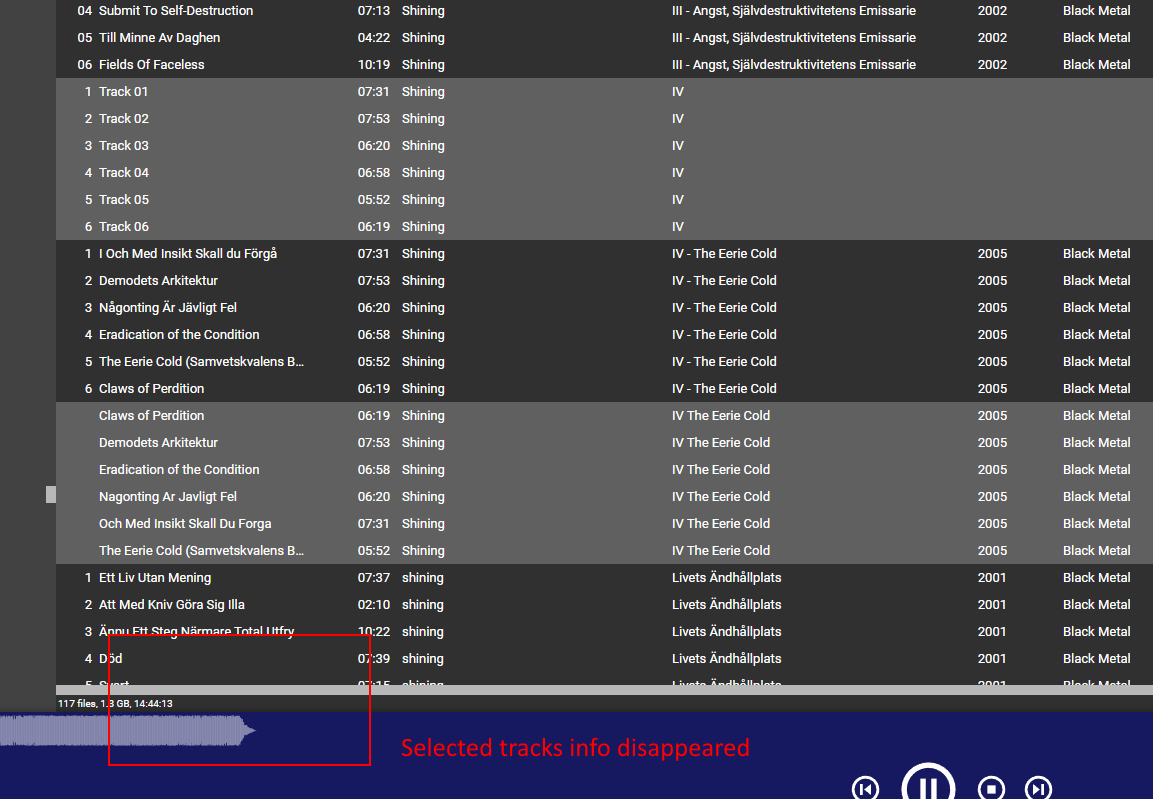
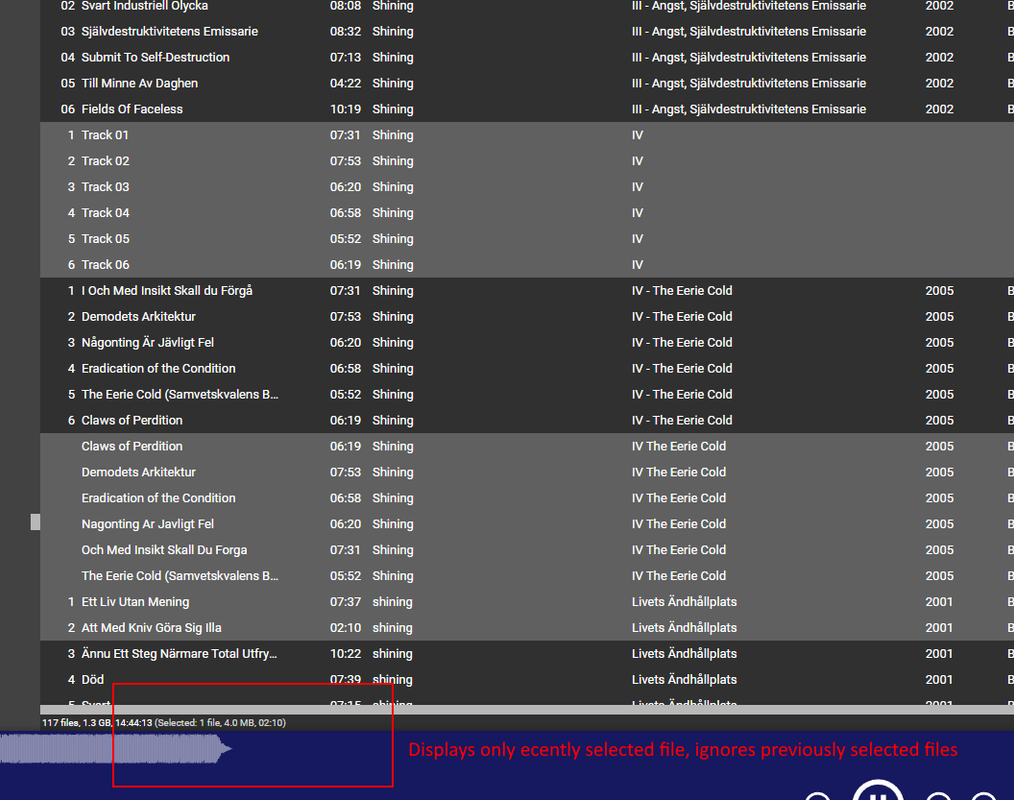
Selected file info disappears from the status bar sometimes. When selecting additional files in the library list, only the recently selected files are shown.

Here's the status bare after I have selected several files and then waited for a few seconds. The selected files info disappeared:
Image

When I select an additional file, only the recently selected file is shown in the status bar:
Image

When I wait a few seconds more, the selected files info can disappear again. I can repeat these steps several times.

I think the disappearing selected info could be related to tag updates in the background. I can reproduce it, when I change the rating of the now playing track. Sometimes, the whole GUI freezes for a second shortly after I changed the rating and when it comes back, the selected info disappears.
Auto lyrics lookup can also trigger the problem as far as I can see.

This phenomenon feels similar to the selection of items getting lost completely which I have reported in ticket Ticket #6397. Although here, the items remain selected and only disappear from the status bar.

Here is a screenshot of the whole MM surface, just in case specific elements of my setup are responsible: https://i.postimg.cc/SKYyvrsf/GUI-overview.png

EDIT: I just noticed that there already is a Mantis ticket, but without any updates: https://www.ventismedia.com/mantis/view.php?id=21353

Re: Selected files information in Status Bar behaves weird [#21353]

by Riegelstriegel » Tue Nov 19, 2024 2:46 pm

Hi, I tried to capture the phenomenon but the debug version of 3078 crashes a few seconds after I start MM.
I sent you a log with Ticket #8014 for the crash. The log for the status bar thing has to wait until the debug version works again on my PC, sorry.

Re: Selected files information in Status Bar behaves weird [#21353]

by Riegelstriegel » Thu Nov 14, 2024 7:28 pm

Hi Lowlander, thanks for the reply. I will try to catch the problem over the weekend.

By the way, your Mantis bug description sounds like the issue is related to auto lookup only. But I also was able to reproduce the bug by editing any other tag like rating or track title:

Select one or more files in the library browser first.
Then change a tag on any file, can also be a completely different file from the playlist.
Status bar loses info on selected files.

Another trick: When you have reproduced the problem, you can Ctr + click on another file in the library browser to select it in addition to the previous selected file(s).
-> The Status bar should now show "Selected: 1 file..."

Re: Selected files information in Status Bar behaves weird

by Lowlander » Thu Nov 14, 2024 6:35 pm

I'm having a hard time reproducing a negative count. It was seen briefly, but immediately disappeared. Please capture this in a debug log (step 4b) and attach the log to a Support Ticket: viewtopic.php?t=86643

The loss of selection is seen, presumably because Preview and/or Lyrics panel update: https://www.ventismedia.com/mantis/view.php?id=21353

Selected files information in Status Bar behaves weird [#21353]

by Riegelstriegel » Thu Nov 14, 2024 5:28 pm

Hi, I just noticed that the selected file information in the status bar of my library browser disappears when I select files and the tag of a file is changed (e.g. by auto lyrics lookup or by editing the rating of the file). When I delete the selected files in this state, it displays a negative amount of files selected in the Status Bar.

Here is an example: I have selected 11 files. After a few seconds (probably due to tag edit by lyrics lookup), the status bar looks like in the first picture, with the selected file information missing.
When I delete the files, the status bar says I have -10 files selected. Probably it is -11 plus the one file it automatically selects below the deleted files.

Image

I'm on build 3074 non-debug. I can't say if the problem was present on earlier builds.
Let me know if you can reproduce the issue or if I need to provide further information.

Top