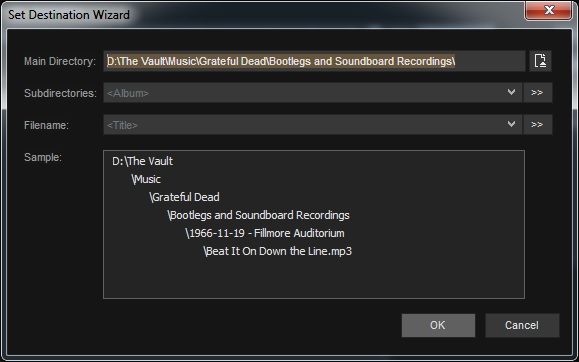
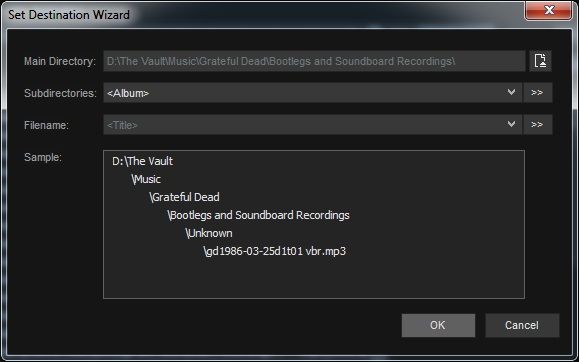
I open a URL in MM which points to an M3U stream. The MP3's appear in my "Now Playing" list. I can select all of those audio files and "send to" > "Folder (copy)" > [folder].
Is there a way to:
A. Have MM automatically create a subfolder, label it based upon the album title from the ID3 tags, and download to said folder, and
B. Automatically re-label the individual MP3's based upon the song titles in their ID3 tags?
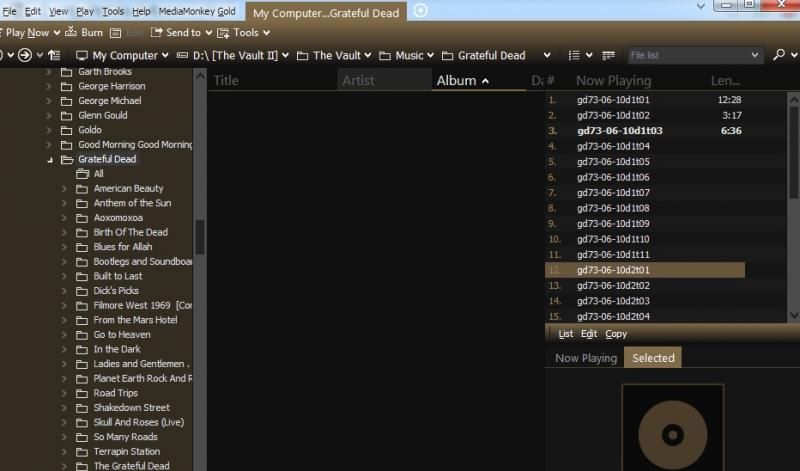
In MM, the files appear in my "Now Playing" list as only their base file name:
But the MP3's themselves are very neatly tagged:
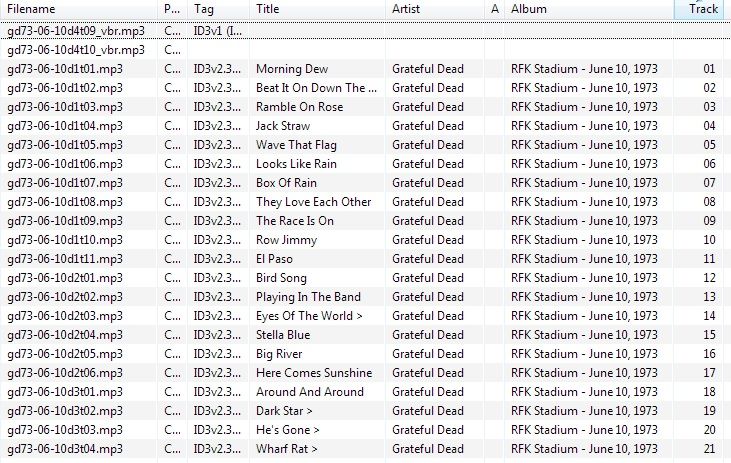
When I follow the above steps to send the audio files to my specified folder, they're downloaded as their original filename (incomprehensible labels used specifically by the host for cataloging purposes), but they're neatly labeled via ID3 for the end user when they're streaming it.
So, is there a way for MM to download the MP3's and rename them based upon their ID3 song titles, and into their own folder, which is labeled based upon their ID3 album name?
The dream would be a MediaMonkey extension for Chrome which would accomplish all of those goals simply by right-clicking the M3U stream link and selecting something like "Rip stream to folder," which would download all of the file links in the M3U and automatically label and organize them. But that's probably pushing it...
There was an extension for Firefox, back in '07 - '08, called "M3U Ripper" which did almost exactly that. You would right-click the M3U link, and it downloaded all of the files, renamed them based upon their ID3 song titles and put them into their own folder (though the folder was labeled after the title of the M3U and not the ID3 album tag). That fantastic piece of software is, sadly, no longer compatible with Firefox.
Any ideas, or thoughts, or solutions, or am I just crazy?
Thanks in advance!