Thanks Vyper, I tried that and it didn't seem to work. I'll try it again next time.
One thought, before I began using the Song Panel I wanted all my information on the player. Now, I'm not so sure, but I like it even though the information is duplicated. Good news is I have the original also so I can look at the one I want.
MediaMonkey Screenshots
Re: Shiny Monkey Dark
Hey,
very good Player!! How can I get the Comments Window?
very good Player!! How can I get the Comments Window?
aidan_cage escribió:
Sorry about the other posts.
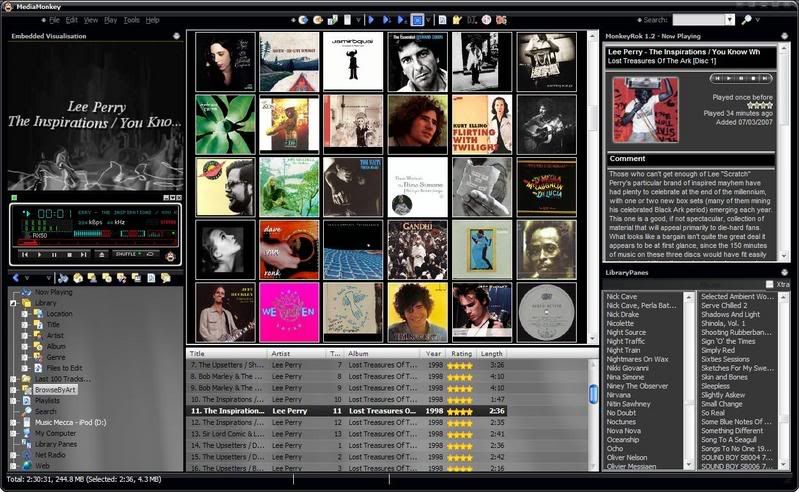
This is something I am happy with. Please let me know what you think. I started with DaledeSilva's Shiny Black/ Piano Black skin, ripped a couple bitmaps from Tommae88's GrayMonkey skin and darkened them, then threw in a player I got off the Winamp site (Tomzi Djidara) and gimped the "Brand" out of the header and added the Monkey to the bottom right corner. I only used the themeeditor.exe to change the hot text font colour, but it looks like there is a lot to learn about that. I want to change the sliders and arrows and stars, so I will try to get on that.
anyways. I'd appreciate positive or negative feedback
PEACE - Tristan
http://www.mediafire.com/?1duxthho5mz <-- download
|__>updated link
Re: MediaMonkey Screenshots
Link still doesn't work. I'd love to take this one for a ride.
-
nohitter151
- Mensajes: 23640
- Registrado: Mié Ago 09, 2006 10:20 am
Re: MediaMonkey Screenshots
That is an MM2 skin, it probably wouldn't work with the current version of MM anyway.rrfpacker escribió:Link still doesn't work. I'd love to take this one for a ride.
MediaMonkey user since 2006
Need help? Got a suggestion? Can't find something?
Please no PMs in reply to a post. Just reply in the thread.
Need help? Got a suggestion? Can't find something?
Please no PMs in reply to a post. Just reply in the thread.
Re: MediaMonkey Screenshots
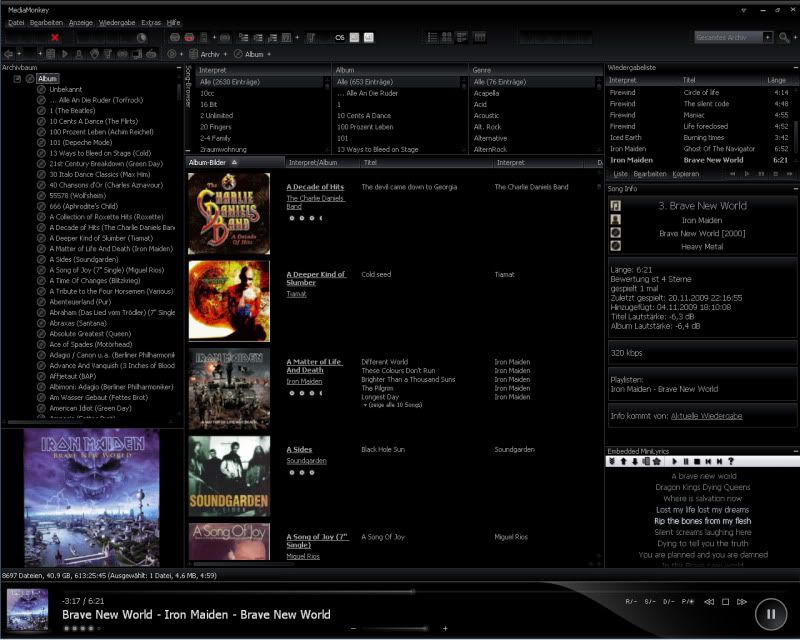
Just using DreadM's Vision Skin (Danke Mann, geniales Skin) with emb. mini lyrics and song information panel
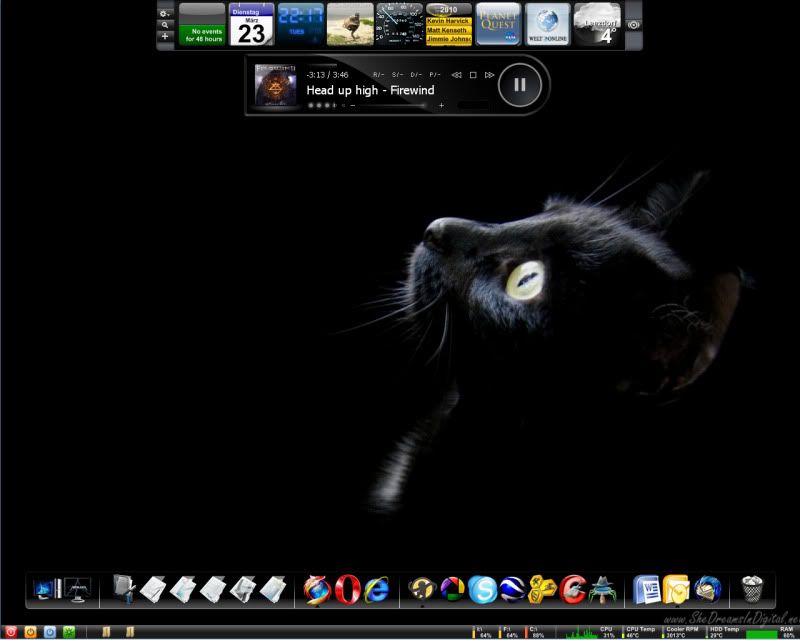
matches my desktop very well.
Greetz
matches my desktop very well.
Greetz
Re: MediaMonkey Screenshots
Nothing special, but I like it.
Track Browser at the top centre, Playlist at the bottom centre, Lyrics and Comment Viewer by Gege on the left and MonkeyRok by trixmoto on the right.
Using Vision skin by DreadM.

Track Browser at the top centre, Playlist at the bottom centre, Lyrics and Comment Viewer by Gege on the left and MonkeyRok by trixmoto on the right.
Using Vision skin by DreadM.
-
OOmatrixOO
- Mensajes: 39
- Registrado: Sab Jul 04, 2009 4:57 am
Re: MediaMonkey Screenshots
Mine is almost the same. 

Re: MediaMonkey Screenshots
I'm going to shamelessly copy you and use that theme. Was using Eclipse theme before, but I think I like the black look a little more. Will add the comments box, but not the MonkeyRok panel - limited screen space.dypsis escribió:Nothing special, but I like it.
Track Browser at the top centre, Playlist at the bottom centre, Lyrics and Comment Viewer by Gege on the left and MonkeyRok by trixmoto on the right.
Using Vision skin by DreadM.


Re: MediaMonkey Screenshots
Awesome! Any chance of sharing it?Tazza escribió:Minimal
Seven Ultimate X64 SP1 / Sansa Clip 2go (with RockBox)
Re: MediaMonkey Screenshots
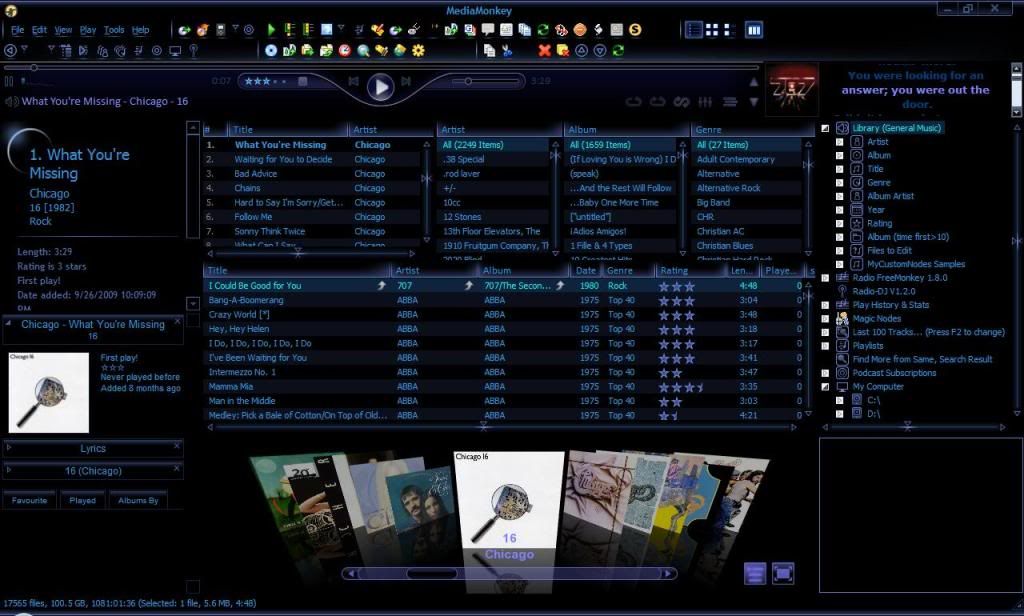
I played around a bit with Ion-V and Eclipse to come up with this. This shot is with all panels open and running, lower right is the visualization panel. Kinda busy but I like to see the possibilities. Next I'm going to update the icons. Not sure how to get rid of the white on the right side of the minilyrics, however. Kind of annoying.
Última edición por rrfpacker el Mié May 19, 2010 2:30 am, editado 4 veces en total.
Re: MediaMonkey Screenshots
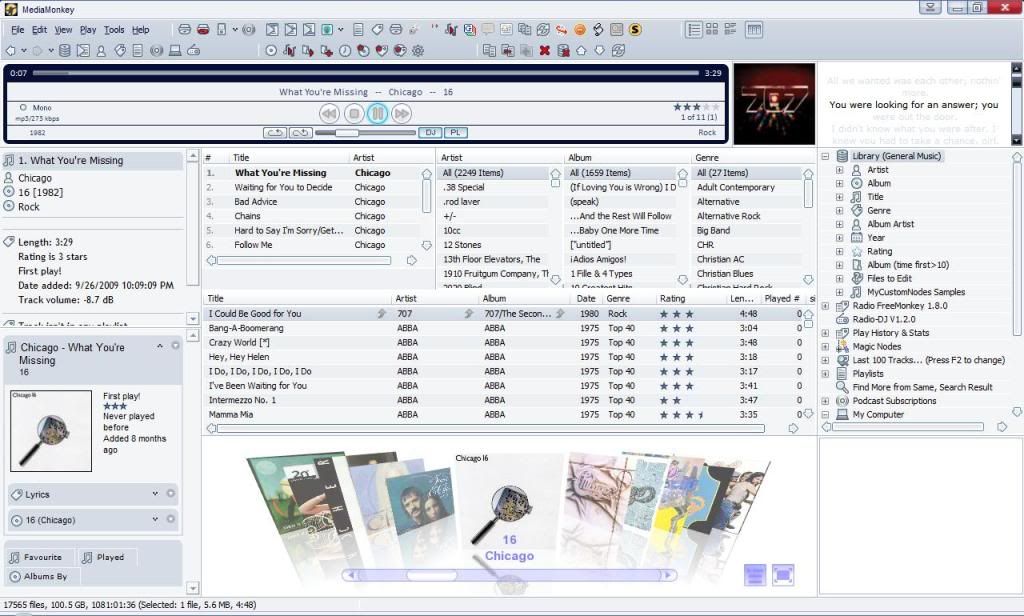
Here's another one. Combined Agora Mk II with the old Agora player. I like both and sometimes I can't decide which to use.
Última edición por rrfpacker el Mié May 19, 2010 2:27 am, editado 1 vez en total.
Re: MediaMonkey Screenshots
rrfpacker, I'd love to see what you have come up with. Get rid of one set of the [img] in both of your posts. As you can see, you have two sets of "img" brackets and that is keeping the image from showing.
Última edición por gpzbc el Mié May 19, 2010 2:29 am, editado 1 vez en total.
--
The gpzbc
The gpzbc
Re: MediaMonkey Screenshots
Working on it as you are trying to look. Still having troubles with posting images, so I hope this works.