Hello,
after working a while with MM 3 I'm pretty lucky with it. Especially the option of using larger fonts is good for my eyes. Unfortunately, this is buggy:
- in the mode "show album art with details" there is no possiblility to expand the details beyond the album art.
- inverted, not bold text isn't written with large fonts, but with normal fonts (for example if you mark an album in the album tree and then mark the album in the result list. Then the album in the album tree is inverted, not bold and then you will see the small font).
With regards, Guido
MM RC6 : problems with large fonts
Moderator: Gurus
Maybe a screenshot would help?

Scripts in use: Genre Finder / Last.fm DJ / Magic Nodes / AutoRateAccurate / Last.FM Node
Skins in use: ZuneSkin SP / Eclipse SP
AutoRateAccurate 3.0.0 (New) - Rates all your songs in less than 5 seconds!
About me: icoaching - internet | marketing | design
-
kingoomieiii
- Posts: 61
- Joined: Mon Jun 18, 2007 5:03 am
- Contact:
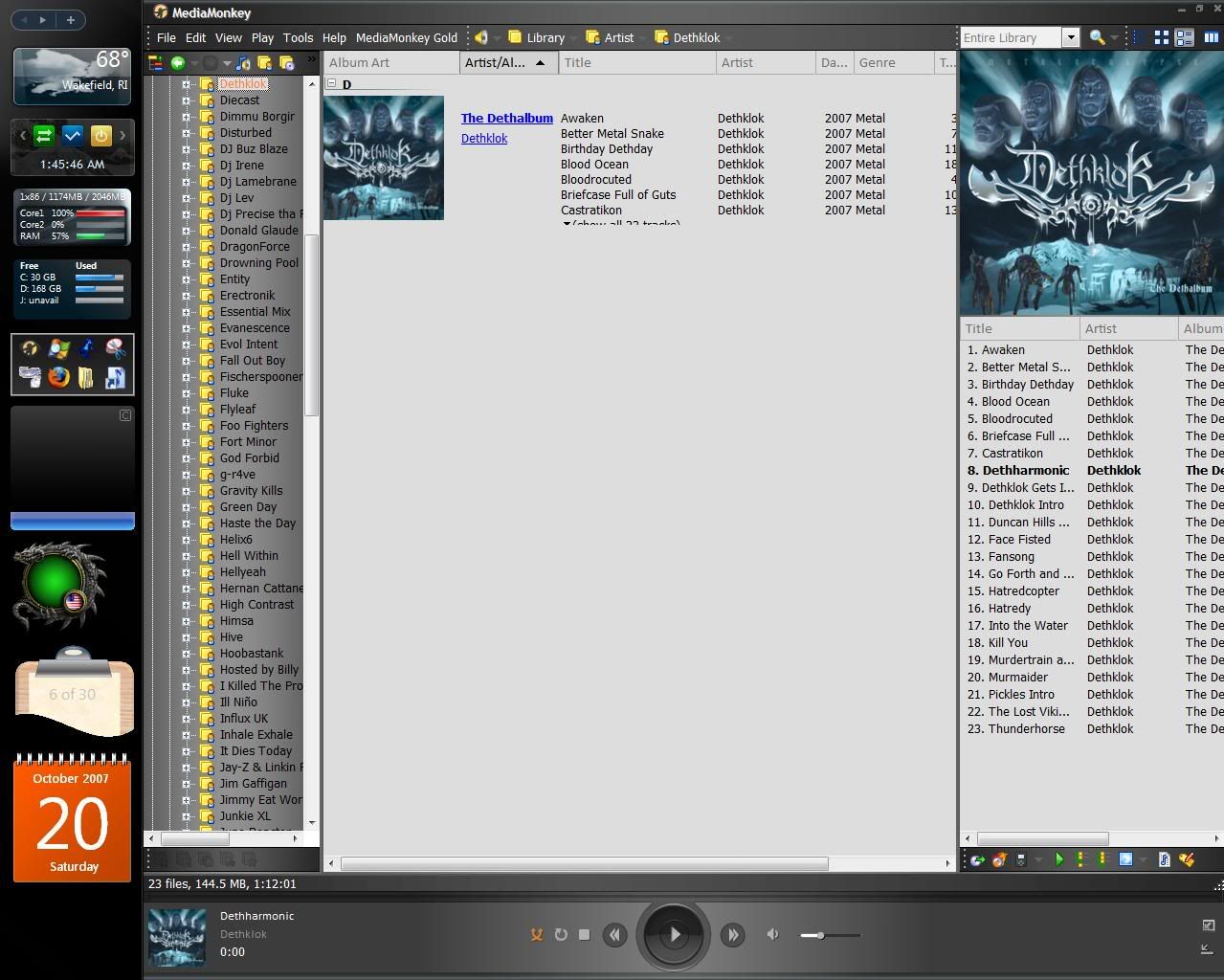
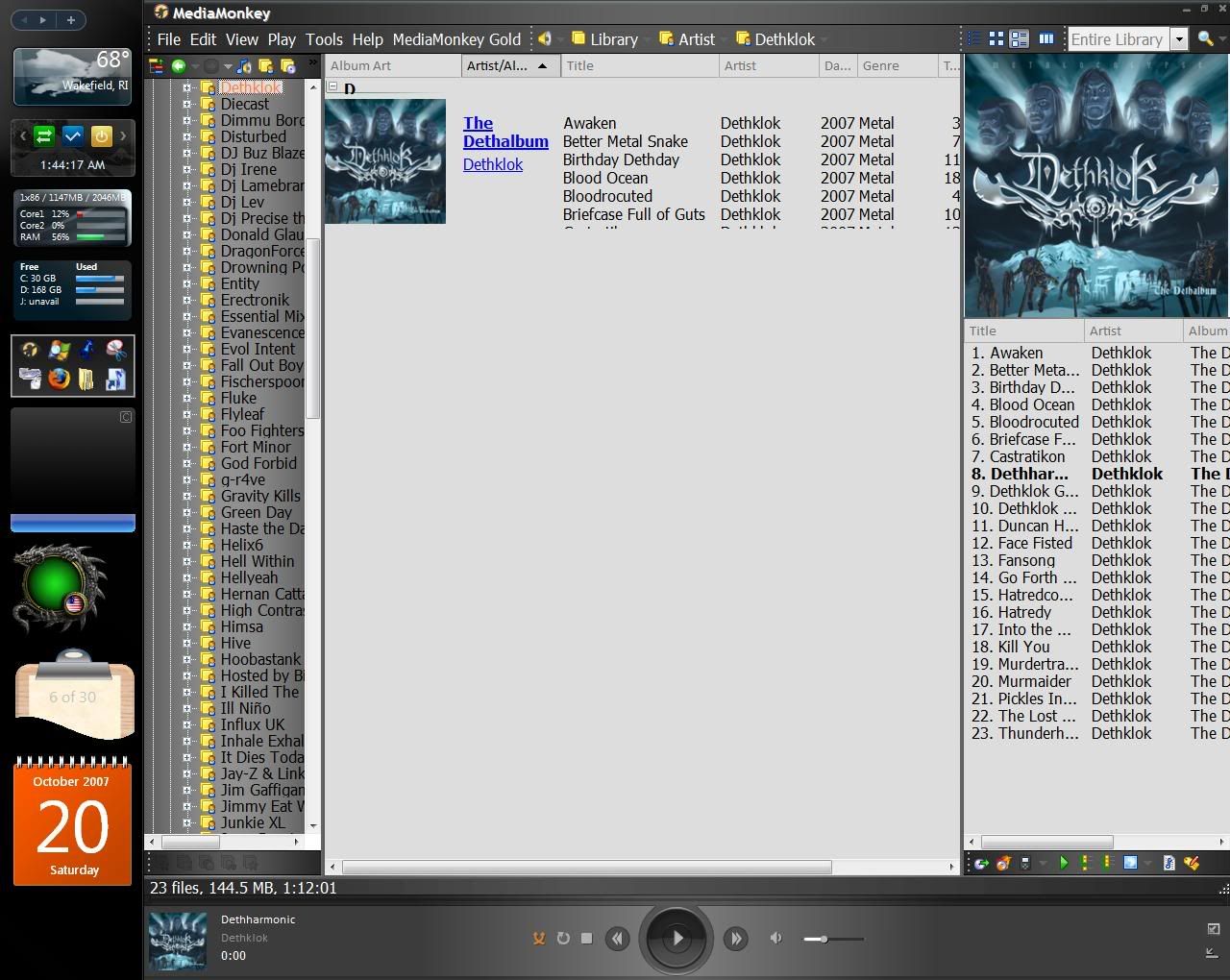
What font Size you have set in MediaMonkey tools -> Options -> Skins?
Best regards,
Peke
MediaMonkey Team lead QA/Tech Support guru
Admin of Free MediaMonkey addon Site HappyMonkeying



How to attach PICTURE/SCREENSHOTS to forum posts
Peke
MediaMonkey Team lead QA/Tech Support guru
Admin of Free MediaMonkey addon Site HappyMonkeying
How to attach PICTURE/SCREENSHOTS to forum posts
-
rovingcowboy
- Posts: 14163
- Joined: Sat Oct 25, 2003 7:57 am
- Location: (Texas)
- Contact:
thats the way nohitter151 has coded the fonts in the skin.
this is his first skin and he is getting it worked up but still needs to do adjustments. he might have made the tree font change color and go smaller since he has the normal font bolded. that is done so you have a visual clue as to what was selected.
you are apearing to be gripping about the way he set up the fonts. but the link in the album list view i am not sure if he could set them up right now or not? i have not tried to for awhile in my skins so i cant remember about that area?

this is his first skin and he is getting it worked up but still needs to do adjustments. he might have made the tree font change color and go smaller since he has the normal font bolded. that is done so you have a visual clue as to what was selected.
you are apearing to be gripping about the way he set up the fonts. but the link in the album list view i am not sure if he could set them up right now or not? i have not tried to for awhile in my skins so i cant remember about that area?
roving cowboy / keith hall. My skins http://www.mediamonkey.com/forum/viewto ... =9&t=16724 for some help check on Monkey's helpful messages at http://www.mediamonkey.com/forum/viewto ... 4008#44008 MY SYSTEMS.1.Jukebox WinXp pro sp 3 version 3.5 gigabyte mb. 281 GHz amd athlon x2 240 built by me.) 2.WinXP pro sp3, vers 2.5.5 and vers 3.5 backup storage, shuttle 32a mb,734 MHz amd athlon put together by me.) 3.Dell demension, winxp pro sp3, mm3.5 spare jukebox.) 4.WinXp pro sp3, vers 3.5, dad's computer bought from computer store. )5. Samsung Galaxy A51 5G Android ) 6. amd a8-5600 apu 3.60ghz mm version 4 windows 7 pro bought from computer store.
-
MusicBringer
- Posts: 622
- Joined: Wed Oct 25, 2006 12:53 pm
I too have to use Large Fonts.
I have found that there is a problem with using Large Fonts with several skins, not just this one.
It seems to me that the space allocated to the field is too small to accommodate the Large Font size.
Which means that tails of letters such as Ys, Gs, and Js get chopped off and makes reading the text difficult. Large fonts is not practical when you cannot see the lower half of words
I have found that there is a problem with using Large Fonts with several skins, not just this one.
It seems to me that the space allocated to the field is too small to accommodate the Large Font size.
Which means that tails of letters such as Ys, Gs, and Js get chopped off and makes reading the text difficult. Large fonts is not practical when you cannot see the lower half of words

-
kingoomieiii
- Posts: 61
- Joined: Mon Jun 18, 2007 5:03 am
- Contact:
As I recall, it looks that way with Glided also.rovingcowboy wrote:thats the way nohitter151 has coded the fonts in the skin.
this is his first skin and he is getting it worked up but still needs to do adjustments. he might have made the tree font change color and go smaller since he has the normal font bolded. that is done so you have a visual clue as to what was selected.
you are apearing to be gripping about the way he set up the fonts. but the link in the album list view i am not sure if he could set them up right now or not? i have not tried to for awhile in my skins so i cant remember about that area?
(pff, like I would ever gripe about nohitter's skin... love that thing
 )
)-
MusicBringer
- Posts: 622
- Joined: Wed Oct 25, 2006 12:53 pm