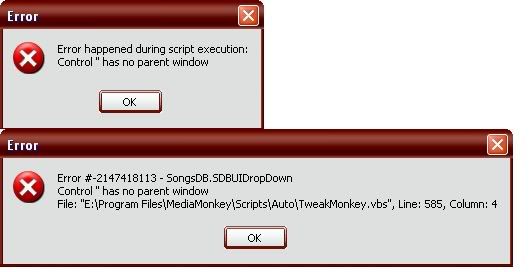
Ok, disabling the plugins went horribly. It scrolled through my entire playlist superfast, and was "not responding". I believe that was caused by the fact that all the file type readers were plugins?
Disabling scripts....it worked.
Inside the scripts.....disabled the "tweak monkey" script and it fixed the problem. Problem
s, actually. There is another error showing up....i dont remember it being there last nite, but i was annoyed, tired, and pissed at the com object that wasnt closing.
Heres the second thing that shows up when i close teh monkey.
(It shows 7 times, just keep pressing OK. Usually the last number is all 0's, sometimes its got a couple different numbers on the end, like 00074)
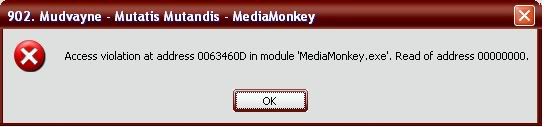
So, I have this error and the COM error
EDIT:
odd.....disable resume play on startup, and the problems go away. renable it and the problem didnt come back?
whyyyyyyyy
EDIT2:
they are back
messenger plugin seems to conflict with tweakmonkey
dammit
Edit3:
com object is back when messenger is enabled, even with the tweak script renamed. now i am sad
Edit4:
Went to the messenger plugin's site, got this answer:
Originally posted by -dt-
quote:Originally posted by Izzmit
So, I recently got mad at Windows Media player, and went looking for a new media player. I found Media Monkey, and really like it. But I must have my MSN messenger message show what im playing,(why? i dont know...) so I found this script, and it works exactly how I want, except for a problem. The below error shows up whenever I exit:
thats normal, MediaMonkey just asks if you want to close it because theres other applications using it (Smilie)
Facinating.
Well, I guess its settled, although that Memory Error still bothers me. I just cant seem to pinpoint its cause enough to be of any real help I dont think[/quote]