These visualization plugins and presets are compatible with only MediaMonkey 4.
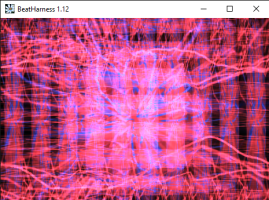
The ultimate plugin ! User-scripted fx & transitions using images, video and live-camera-input !!!
Tutorial: Copy the BeatHarness folder and the vis_BeatHarness.dll file to the Plugins folder in MediaMonkey.
By
Lennart Denninger
Submitted by Raul2022
Updated 15/03/2022
Version History / Details
- Version:
- 1.26
- Updated:
- 15/03/2022
- Size:
- 2.02 MB
- Works with:
- Media Monkey 2.2 - 4.1
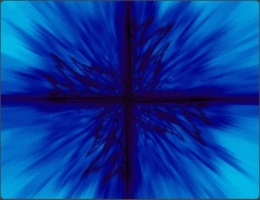
G-Force is one of the most dynamic and sophisticated, yet entirely artistic, music visualizations. To install, close MediaMonkey, install the MediaMonkey version, run MediaMonkey and enable the plugin.
By
SoundSpectrum
Submitted by rusty
Updated 21/10/2009
Version History / Details
- Version:
- 3.92
- Updated:
- 21/10/2009
- License:
- Shareware
- Works with:
- Media Monkey 2 - 3.x
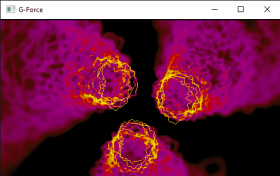
This is an old G-Force version for MediaMonkey that I just found on Wayback Machine.
Tutorial: Copy all the G-Force ColorMaps, DeltaFields, Particles and Waveshapes folders and the VIS_G-Force.dll file to the Plugins folder in MediaMonkey.
By
Andy O' Meara
Submitted by Raul2022
Updated 28/02/2022
Version History / Details
- Version:
- 1.1.6
- Updated:
- 28/02/2022
- Size:
- 145.68 KB
- Works with:
- Media Monkey 2.2 - 4.1
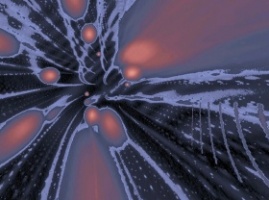
Geiss 2 is a sequel to Geiss which is bundled with MediaMonkey. Geiss 2 has higher resolutions, smooth blends, multimonitor support, and new movements and palettes, but many still prefer the original. To install, close MediaMonkey, install Geiss to the MediaMonkey directory, run MediaMonkey and enable the plugin.
By
Ryan Geiss
Submitted by rusty
Updated 07/06/2011
Version History / Details
- Version:
- 2
- Updated:
- 07/06/2011
- License:
- Freeware
- Works with:
- Media Monkey 2 - 4
- Changes:
Link goes to the Wayback machine because the Winamp site no longer contians old plugins.
If link doesn't work, go to:
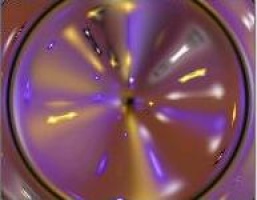
Another Unix visualization for MediaMonkey.
Tutorial: Copy the vis_goom.dll (the file you downloaded) to the Plugins folder in MediaMonkey.
By
Jean-Christophe Hölt
Submitted by Raul2022
Updated 26/02/2022
Version History / Details
- Version:
- 1.9.3
- Updated:
- 26/02/2022
- Size:
- 144 KB
- Works with:
- Media Monkey 2.2 - 4.1
By
mstrange
Submitted by mstrange
Updated 30/11/2014
Version History / Details
- Version:
- 2.25.3.2
- Updated:
- 30/11/2014
- Size:
- 5.07 MB
- License:
- Modified BSD License
- Works with:
- Media Monkey 4.0 - 4.9
- Changes:
Fix MSVCR120.DLL dependency with static recompile.
Fix VisOut bug returning from Fullscreen.
- Version:
- 2.25.3
- Updated:
- 22/10/2014
- Size:
- 4.98 MB
- License:
- Modified BSD License
- Works with:
- Media Monkey 4.0

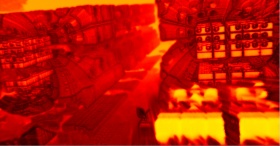
Morphyre is an animated music-reactive visualization system with thousands of unique 3D scenes. To install, close MediaMonkey, install the MediaMonkey version, run MediaMonkey and enable the plugin.
By
Pur3 Ltd
Submitted by rusty
Updated 07/06/2011
Version History / Details
- Version:
- 1.0
- Updated:
- 07/06/2011
- License:
- Shareware
- Works with:
- Media Monkey 3 - 4
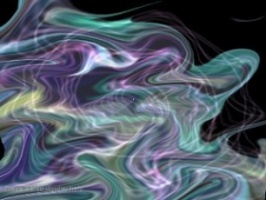
Psychedelic 3d-accelerated patterns. Cool, but not earth shattering. To install, close MediaMonkey, install to the MediaMonkey directory, run MediaMonkey and enable the plugin.
By
Pascal Dallongeville
Submitted by rusty
Updated 07/06/2011
Version History / Details
- Version:
- 2
- Updated:
- 07/06/2011
- Works with:
- Media Monkey 3 - 4
- Changes:
Link goes to the Wayback machine because the Winamp site no longer contians old plugins.
If link doesn't work, go to:
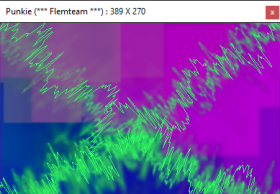
Punkie is not just another Geiss-like plugin.It has a reactive zoom effect that look pretty cool, let's have a try !
Tutorial: Copy the vis_punkie.dll (the file you downloaded) to the Plugins folder in MediaMonkey.
By
Pascal Dallongeville
Submitted by Raul2022
Updated 15/03/2022
Version History / Details
- Version:
- 1.72
- Updated:
- 15/03/2022
- Size:
- 148 KB
- Works with:
- Media Monkey 2.2 - 4.1

Relaxing, mood-enhancing animated buttscapes, rich with color and realistic motion. To install, close MediaMonkey, install the MediaMonkey version, run MediaMonkey and enable the plugin.
By
Soundspectrum
Submitted by rusty
Updated 07/06/2011
Version History / Details
- Version:
- 1.0
- Updated:
- 07/06/2011
- License:
- Shareware
- Works with:
- Media Monkey 3 - 4
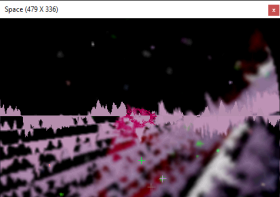
Don't wait, choose the real space. NOWÂ
By
Pascal Dallongeville
Submitted by Raul2022
Updated 26/02/2022
Version History / Details
- Version:
- 0.9
- Updated:
- 26/02/2022
- Size:
- 89.86 KB
- License:
- i dont have any license type...
- Works with:
- Media Monkey 2.2 - 4.1
- Changes:
tutorial:
Copy the space folder and vis_space.dll file to the plugins folder of your MediaMonkey.
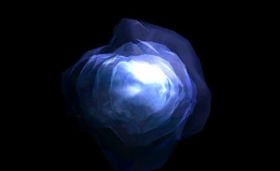
If you've got 3-d graphics hardware that's up to the task, this is one of the slickest plugins, and is definitely worth a try. To install, close MediaMonkey, install to the MediaMonkey directory, run MediaMonkey and enable the plugin.
By
Ben Marsh
Submitted by rusty
Updated 07/06/2011
Version History / Details
- Version:
- 3.12.7
- Updated:
- 07/06/2011
- License:
- Freeware
- Works with:
- Media Monkey 3 - 4

A brand-new update to a classic vis. To install, close MediaMonkey, extract to the MediaMonkey directory, run MediaMonkey and enable the plugin.
By
Brian Spangler
Submitted by rusty
Updated 07/06/2011
Version History / Details
- Version:
- 2.0
- Updated:
- 07/06/2011
- License:
- Freeware
- Works with:
- Media Monkey 3 - 4

Features futuristic, wireframe mesh visuals with dynamic backgrounds and colors. To install, close MediaMonkey, install the MediaMonkey version, run MediaMonkey and enable the plugin.
By
Soundspectrum
Submitted by rusty
Updated 07/06/2011
Version History / Details
- Version:
- 1.0
- Updated:
- 07/06/2011
- License:
- Shareware
- Works with:
- Media Monkey 3 - 4